




Most sales managers still rely on fragmented tools — spreadsheets, email threads, and manual status calls — to keep track of their teams. This wastes hours every week and creates blind spots that cost you deals.
Hours every week lost to status calls, check-in emails, and pipeline reviews that could be replaced by a single real-time dashboard. Every minute chasing updates is a minute not spent coaching.
Website form submissions go to email inboxes instead of your CRM. By the time someone manually enters the lead, the prospect has already moved on — or been picked up by a faster competitor.
Managers have no real-time view of where deals stand, which reps are active, and which opportunities are going cold — until it's too late to intervene and prevent a loss.
Every new lead source means more manual work. Without automated capture and routing, growing lead volume just means more administrative burden — not more revenue.
Lead data lives in spreadsheets, email, legacy CRMs, and campaign tools that never talk to each other. Migrating or consolidating this data is painful without a proper import wizard.
When a rep leaves the team, their lead history, call notes, and relationship context walk out the door with them — leaving the next rep starting completely from scratch on every account.
Salesboom's Sales Manager CRM eliminates the bottlenecks of manual management through automated lead capture, intelligent reporting, and seamless data import tools — giving managers instant visibility without the overhead.
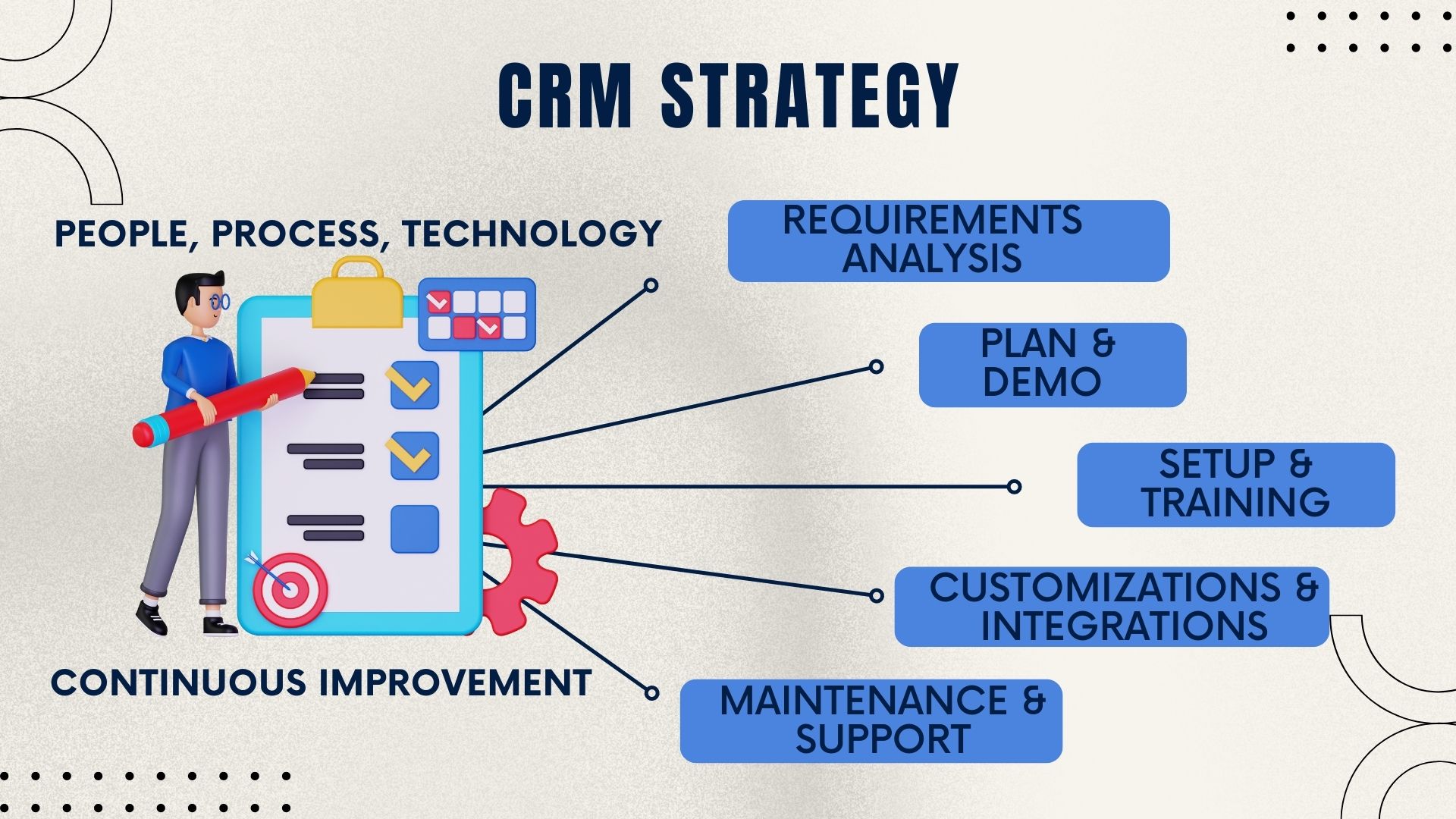
Getting started with automated lead capture takes under 15 minutes. Follow these steps to connect your website to your Salesboom CRM — no developer assistance required.
Part 1 — Create the Capture Tool
Navigate to the Leads home tab page in your Salesboom account to access all lead management tools.
Click the Leads Web Capture Tool link in the Lead Tools section to open the capture tool management area.
Click the New Capture Tool button to open the New Web Capture page where you configure your form.
Complete the Web Capture Info fields and select exactly which data fields you want to collect from website visitors.
Click Create / Update to save your new capture tool. It is now active and ready to generate your HTML form code.
Part 2 — Generate & Embed the HTML Form
Go back to the Leads home tab and click Leads Web Capture Tool in the Tools section to access your saved tools.
Click the Web Capture Name of the tool you want to embed on your website to open it for code generation.
Click the Generate HTML button to produce the complete form code ready for placement on your website.
Click Highlight Text to select all generated HTML, then right-click and select Copy from the context menu.
Paste the code into your website wherever you want the form to appear. New leads now flow automatically into Salesboom.
Beyond lead capture and importing, Salesboom's Sales Manager CRM includes intelligent automation that continuously improves team efficiency and deal velocity.
With 22+ years of CRM innovation, Salesboom delivers advantages that go well beyond a typical sales tool.
No third-party integrations or Zapier workarounds — native web capture tools connect your site to your CRM pipeline instantly. Set up in under 15 minutes with zero developer assistance required.
Sales, marketing, and service run on a single platform — complete visibility across the entire customer lifecycle with no data silos. Both teams see the same data, eliminating the handoff failures that cost deals.
Native Outlook and QuickBooks integration, plus open API for connecting your existing tools without developer overhead. Your sales stack works together without the friction of constant manual syncing.
No hidden fees, no vendor lock-in, and predictable monthly pricing starting at $14/user — scale your team without scaling your costs or getting surprised by per-feature charges you didn't see coming.
Expert support from real CRM specialists available 24/7 — not a chatbot reading from a script. Real people who understand your sales workflows and help you configure the platform for your specific process.
3,500+ businesses across 159 countries trust Salesboom to power their sales operations — from lean five-person teams to global enterprises managing thousands of reps across multiple territories.
Salesboom's Sales Manager CRM is designed around the real-world pressures that managers face every day — not just feature checkboxes.
Sales managers want to know what's happening across their team without holding daily status calls. They want dashboards that surface the right information at the right time, and tools that make their team more autonomous — not more dependent.
Managers need accurate pipeline data they can trust when forecasting for leadership. They need consistent lead handling processes that don't depend on individual reps remembering to follow up. They need systems that scale as the team grows.
Sales managers fear leads falling through the cracks between website forms and the CRM. They fear discovering a performance problem only after it has already cost the company revenue. They fear being blindsided in front of leadership with outdated numbers.
Gaps in lead handling and team visibility create significant business risk. Salesboom addresses these risks proactively through automation, audit trails, and real-time alerting.
Web capture tools ensure every inbound lead is automatically logged and assigned before a rep even sees their inbox — no lead can slip through the gap between website and CRM.
Live dashboards replace guesswork with real data, so managers always know where deals stand — and can intervene before stalled opportunities become lost revenue.
The import wizard validates data during migration, preventing corrupt or incomplete records from polluting your pipeline — ensuring your new CRM starts with clean, accurate data.
Complete audit trails and user-level permissions ensure accountability across every stage of the sales process — providing documentation for audits, disputes, and regulatory requirements.
Modular platform architecture grows from 5 to 5,000 users without requiring a system overhaul — your CRM investment scales with your team without forcing a costly migration.
Centralized CRM records capture every interaction, so no lead history is lost when a rep leaves the team — the next person picks up with full context from day one.
Salesboom is architected to scale with your business — whether you're managing a five-person sales team or a global enterprise with thousands of reps. No costly re-implementation ever required.
Add field service, marketing automation, or customer support functionality as needs evolve — without switching platforms or re-implementing your entire sales process.
Complex org hierarchies and territory management supported through granular role-based permissions — every rep and manager sees exactly what they need, nothing more.
Open API enables custom extensions and third-party tool integrations without requiring developer overhead — connect your existing tools exactly the way your team works.
Cloud infrastructure automatically scales to handle peak demand and seasonal surges — no performance degradation when your sales team hits maximum activity during campaign launches.
Full support for international sales operations — multi-language interfaces and multi-currency reporting ensure your global team works in their language and local metrics.
Industry-specific workflow templates accelerate deployment for new teams and regions — get new reps productive faster with pre-built processes tailored to your vertical.
Dashboards and automation rules adapt as your processes mature — no rigid system that forces your team to work around the tool instead of the tool working for your team.
Quarterly AI-driven platform updates keep your CRM ahead of the competitive curve — new automation capabilities, reporting features, and integrations delivered automatically without disruptive migrations.
Everything sales managers, VP of Sales, and revenue operations directors need to know about automating lead capture and team management in Salesboom.
Step-by-step guides for every role in your organization — marketing, service, and individual rep workflows to complement your sales management strategy.

Learn how marketing users leverage Salesboom CRM to create, execute, and track multi-channel campaigns — connecting campaign performance directly to leads, pipeline, and revenue.

See how sales reps use Salesboom to capture leads, manage accounts, convert opportunities, and forecast revenue — from the first prospect touch to closed deal.

Discover how service managers use Salesboom to manage case queues, publish solutions, track SLA compliance, and keep customers satisfied at every stage.

Explore how service reps use Salesboom to log cases, track customer calls, resolve tickets efficiently, and deliver high-quality support from first contact to final resolution.
See how Salesboom's Sales Manager CRM can eliminate manual processes, capture every web lead, and give you real-time visibility into your entire pipeline. Book a free demo today.
Questions? Call: 1-855-229-2043
Discover powerful CRM editions to scale your business efficiently.
A complete CRM suite with Marketing Automation, ERP integration, and Support tools — built for performance and value.
Explore ProfessionalFor large enterprises — automate workflows, unify data, and leverage analytics to drive strategic growth.
View EnterprisePerfect for small teams starting with CRM — manage leads, track sales, and boost productivity with simplicity.
Discover Team