




Many organizations assume that purchasing CRM software automatically improves performance. In reality, CRM success depends heavily on how the system is implemented, customized, and adopted across the organization.
Without a structured CRM implementation plan, teams revert to spreadsheets and email after go-live. Adoption failure is the most common reason CRM investments deliver no measurable ROI.
Poor migration planning breaks record relationships and imports duplicate or incomplete entries — embedding data quality problems that compound over months and erode trust in the system.
Without documented workflows mapped before configuration, each department operates differently — creating siloed data, broken handoffs, and a CRM that reflects no single team's reality.
Automation rules built without prior process mapping fail to reflect real business operations — generating incorrect alerts, misassigning records, and creating more work than they eliminate.
Unplanned CRM deployments result in dashboards that don't reflect business KPIs — leaving managers blind to pipeline health, forecast accuracy, and service performance metrics.
Without locked objectives documented in writing before configuration begins, undocumented scope changes accumulate — pushing go-live dates back and inflating implementation costs.
The Salesboom rollout framework guides organizations through a step-by-step CRM deployment methodology that ensures the platform aligns with business objectives before going live — not after.
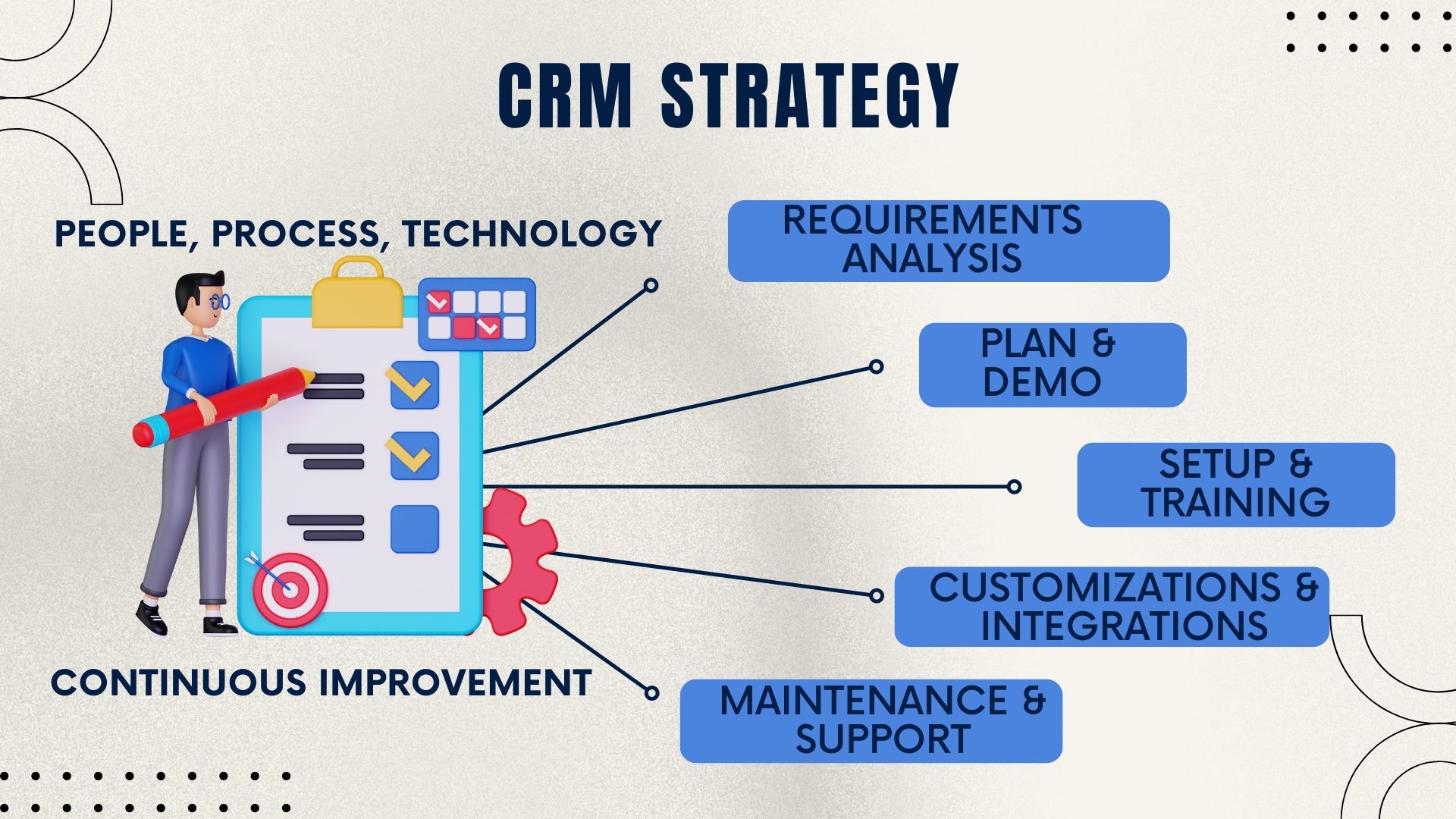
From security settings to workflow automation and email integration, Salesboom's "Built-to-Suit" philosophy ensures every element of the platform mirrors your real business processes — not generic defaults.
With 22+ years of CRM deployment expertise, Salesboom delivers a structured implementation advantage that reduces risk, compresses timelines, and maximizes long-term platform value for every client.
Salesboom's professional services team offers the Fast Track program to compress deployment timelines without sacrificing configuration quality — getting small teams live in as little as 2–4 weeks.
Salesboom's "Built-to-Suit" philosophy means the platform adapts to your workflows. Administrators with no coding background can fully configure the entire system using drag-and-drop tools.
Two of the most commonly required integrations are built in out of the box — no additional connectors, no third-party middleware, and no extra implementation complexity required.
Salesboom's implementation support team consists of CRM specialists — not ticket queues or AI chatbots. Expert guidance is available throughout every phase of your rollout plan and beyond.
Predictable monthly pricing starting at $14/user with no hidden implementation fees, no vendor lock-in, and no surprise costs — so your CRM implementation plan stays on budget from start to finish.
3,500+ businesses across 159 countries have followed Salesboom's implementation framework to a successful go-live — giving you access to two decades of refined best practices and lessons learned.
A successful CRM implementation is not a one-time project — it is the foundation for long-term operational growth. Salesboom scales seamlessly from 5 to 5,000 users without costly reimplementation.
Activate new CRM modules as your needs evolve — from sales and service to field operations and ERP — without rebuilding your existing configuration.
Industry-specific workflow templates accelerate deployment in new divisions, reducing configuration time for additional departments or business units.
Connect Salesboom to any third-party application via the open API — enabling custom extensions as business requirements grow more complex over time.
Cloud infrastructure automatically handles demand spikes and user volume growth without performance degradation or infrastructure investment from your team.
Global team expansion is supported natively — with multi-language interfaces and multi-currency tracking built into the platform at every edition level.
Role-based permission structures grow naturally with organizational complexity — no manual restructuring required as new teams, managers, and territories are added.
AI-powered platform updates delivered quarterly ensure your CRM stays ahead of the curve without disruptive upgrade projects or manual version migrations.
Dashboards and automation rules adapt to changing processes without vendor involvement — keeping your CRM environment aligned with business reality at all times.
The Salesboom implementation framework is designed to anticipate and eliminate the most common causes of CRM project failure — before they become costly problems during or after go-live.
Designate internal trainers per department before go-live. Peer-led training consistently outperforms vendor-only approaches in driving long-term CRM adoption across the entire organization.
Never skip the cleansing phase before migration. Dirty data imported at launch embeds errors that compound over months — making future correction exponentially more difficult and expensive.
Follow the security → roles → profiles → users → customization sequence without shortcuts. Out-of-order setup creates permission conflicts that are difficult and costly to untangle post-launch.
Document and lock business objectives before any configuration begins. Undocumented scope additions are the leading cause of missed go-live deadlines and project budget overruns.
Identify all third-party integration requirements in week one. Late-stage integration discovery is the single most common cause of CRM project overruns and delayed go-live dates.
Maintain a living configuration log documenting every customization decision. Future administrators need this record to maintain the system confidently without depending on the original implementer.
Clear answers to the most common questions organizations ask when planning a Salesboom CRM deployment — from timelines to technical requirements and integration support.
Explore guides, SLA terms, timelines, licensing details, and security documentation to complete your CRM implementation plan with full confidence.

Know your rights before your rollout begins. The CRM Service Level Agreement details Salesboom's 99.8% uptime guarantee, 1-business-day support response, and full data ownership protections.

Walk through each phase of the Salesboom rollout in detail with our comprehensive CRM implementation guide — from team setup to post-launch optimization and ongoing system management.

Keep every stakeholder aligned with a clear visual milestone view. The implementation timeline chart maps every phase from kickoff through go-live and beyond.

Resolve licensing questions before finalizing your implementation scope. The CRM licensing FAQ covers edition capabilities, user minimums, and multi-year agreement options.

Address IT and compliance requirements early in the planning phase. Review data networking and security questions to satisfy internal stakeholders and regulatory requirements before go-live.
Start your CRM rollout with a proven framework built for lasting success. Book a free consultation with a Salesboom implementation specialist and get a deployment plan tailored to your business.
Questions? Call: 1-855-229-2043
Discover powerful CRM editions to scale your business efficiently.
A complete CRM suite with Marketing Automation, ERP integration, and Support tools — built for performance and value.
Explore ProfessionalFor large enterprises — automate workflows, unify data, and leverage analytics to drive strategic growth.
View EnterprisePerfect for small teams starting with CRM — manage leads, track sales, and boost productivity with simplicity.
Discover Team